Tim Addons

Submission Log & Automation for CF7

Never Lose a Contact Form 7 Submission Again.

Save, search, manage and export Contact Form 7 submissions directly from your WordPress dashboard.

Contact Form 7 doesn’t store submitted entries in the WordPress database by default. TimAddons automatically saves your submissions to a dedicated database table, giving you a reliable submission history inside WordPress.

Works with Contact Form 7. Not affiliated with or endorsed by the Contact Form 7 project.

Your Contact Form Submissions Shouldn't Live Only in Your Inbox.

Contact Form 7 is powerful, but submitted entries are not stored in the WordPress database by default. If an email notification is delayed, filtered as spam, fails to arrive, or gets overlooked, valuable form submissions can become difficult to recover.


Without Submission Logging

Email Only

With TimAddons

WordPress Submission Database

A Dedicated Submission Manager Inside WordPress.

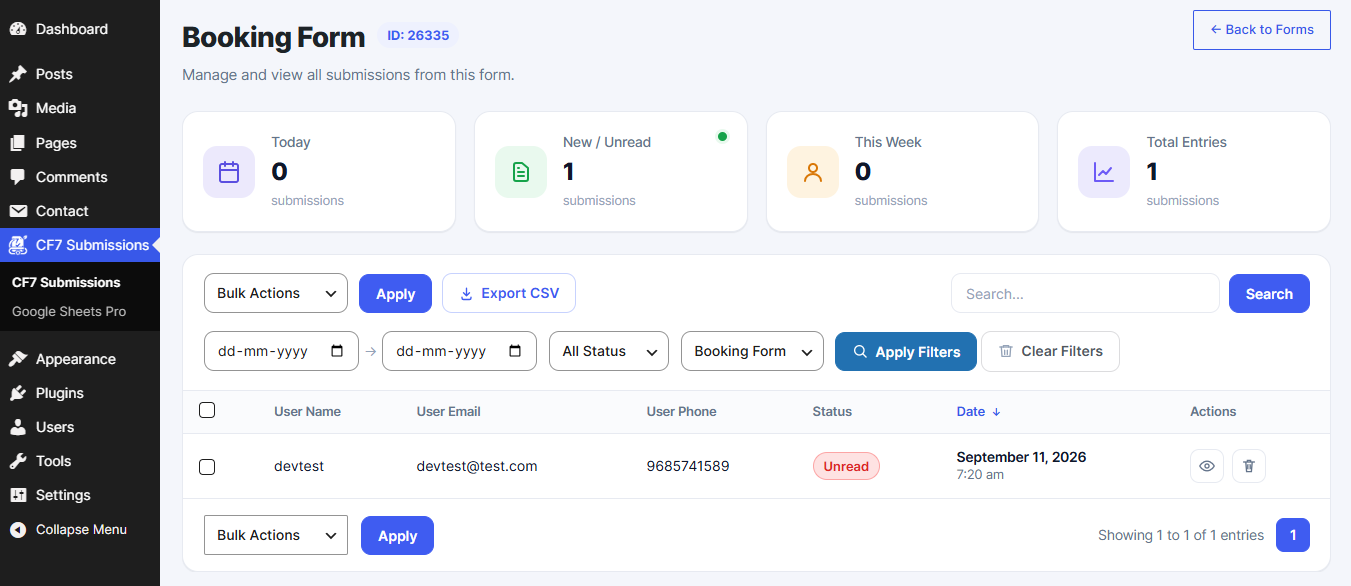
TimAddons automatically captures Contact Form 7 submissions and stores them in a dedicated custom MySQL database table. You can then search, filter, sort, view, export and manage submissions directly from your WordPress dashboard.

01

Store

Keep a reliable history of your Contact Form 7 submissions.

02

Manage

Search, filter, review, export and organize your entries.

03

Automate

Connect submissions to external services with TimAddons Pro.

Everything You Need to Manage Contact Form 7 Submissions.

Automatic Submission Logging

Automatically captures Contact Form 7 submissions and stores them in a dedicated custom MySQL database table.

Fast Submission Database

Uses a dedicated custom database table rather than WordPress posts or wp_postmeta.

Powerful Search & Filtering

Automatically captures Contact Form 7 submissions and stores them in a dedicated custom MySQL database table.

Efficient Submission Loading

Uses database queries and server-side pagination to load only the records required for the current page.

DataTables Interface

Browse submissions using a DataTables-powered interface with searching, sorting, pagination and submission management.

View Submission Details

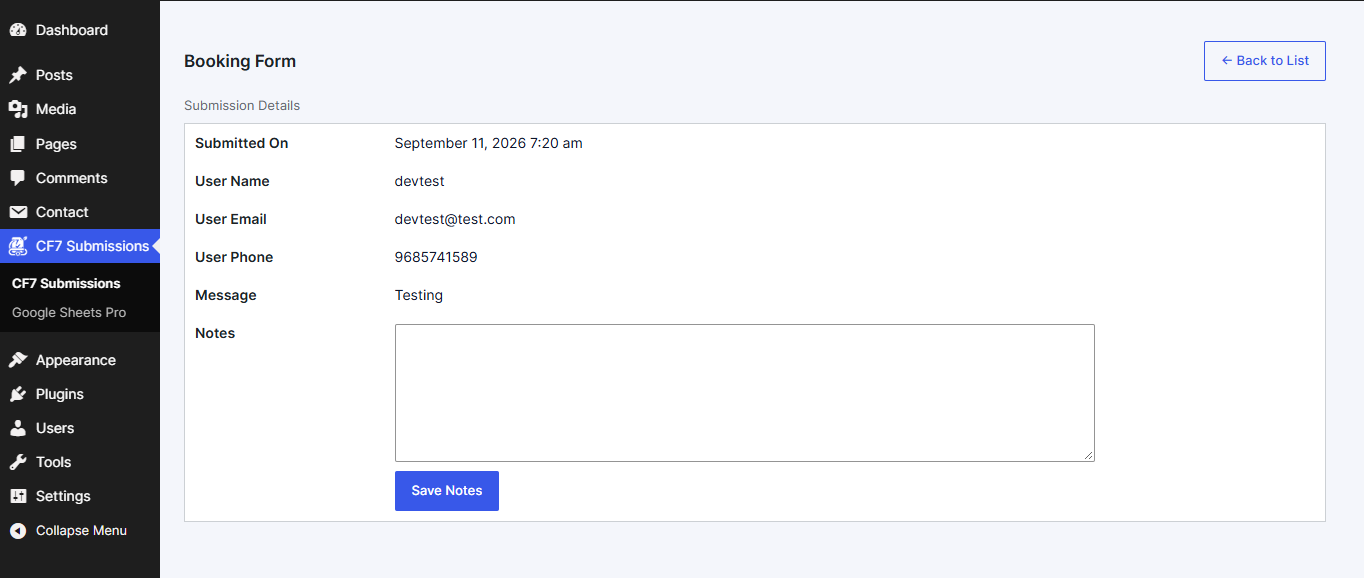
Open individual submissions and view the complete submitted form data.

Attachment Support

View and access files and attachments submitted through Contact Form 7.

Export Submissions

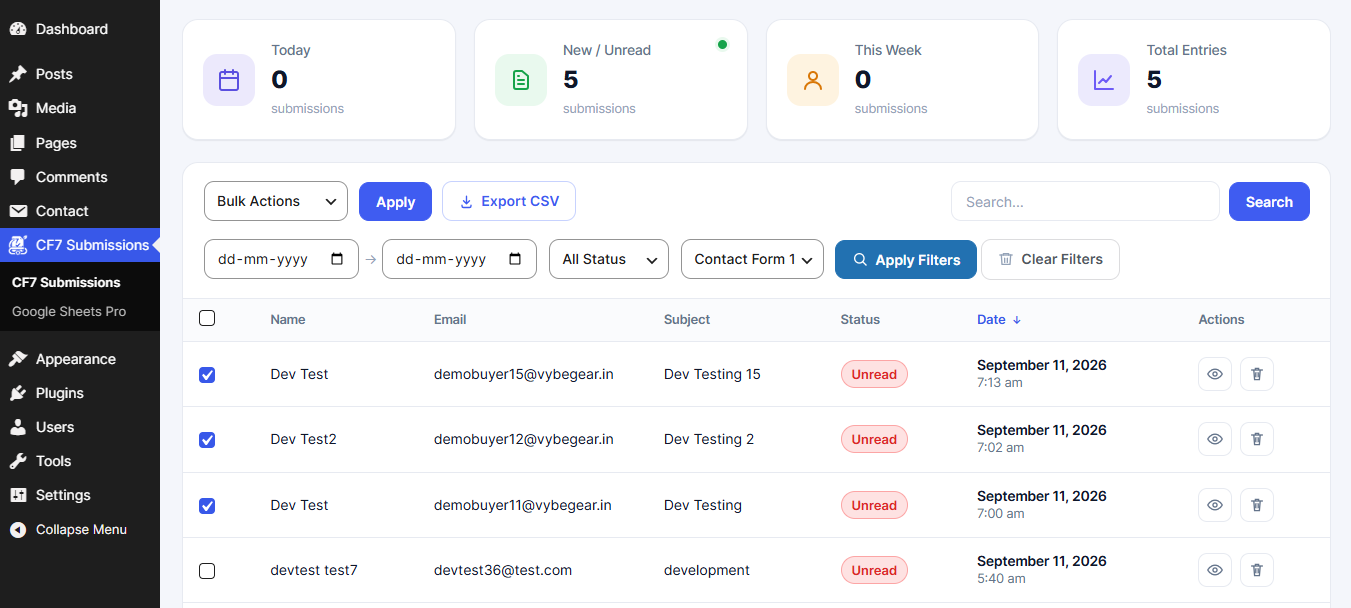
Select individual or multiple submissions and export them for reporting, backup or further processing.

Read & Unread Status

Mark submissions as read or unread to track entries requiring attention.

Submission Management

Select and delete submissions directly from the submission listing.

Internal Notes

Add internal notes to individual submissions for follow-ups and customer information.

Dashboard Widget

View submission activity directly from the WordPress dashboard.

Developer Friendly

Built using native WordPress functions and hooks.

A Dedicated Submission Manager Inside WordPress.

TimAddons automatically captures Contact Form 7 submissions and stores them in a dedicated custom MySQL database table. You can then search, filter, sort, view, export and manage submissions directly from your WordPress dashboard.

Submission List
Submission Details
Submission Management

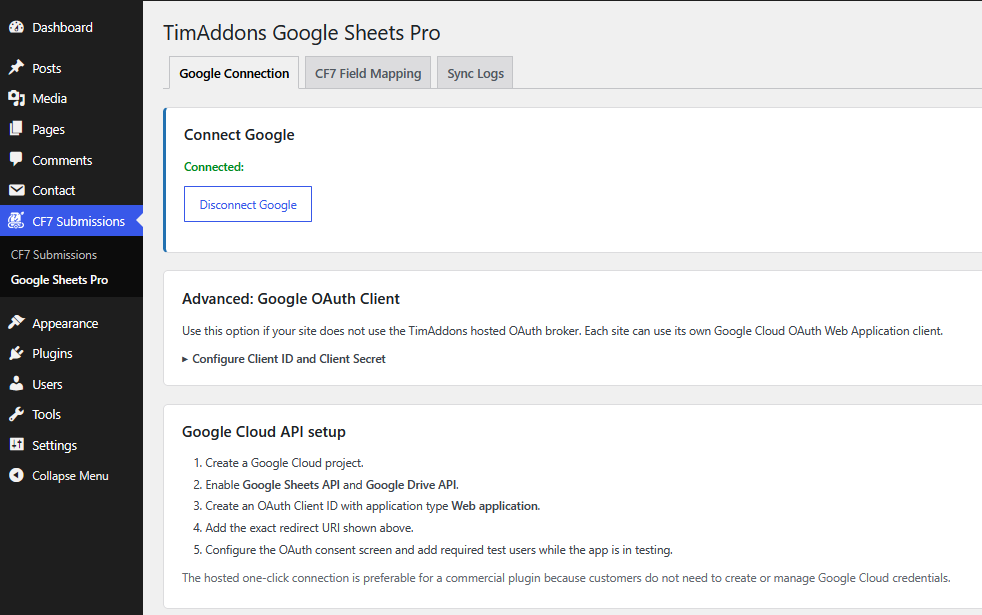
Connect Contact Form 7 with Google

Connect your WordPress forms to Google securely and automate the transfer of submission data to your connected Google account.

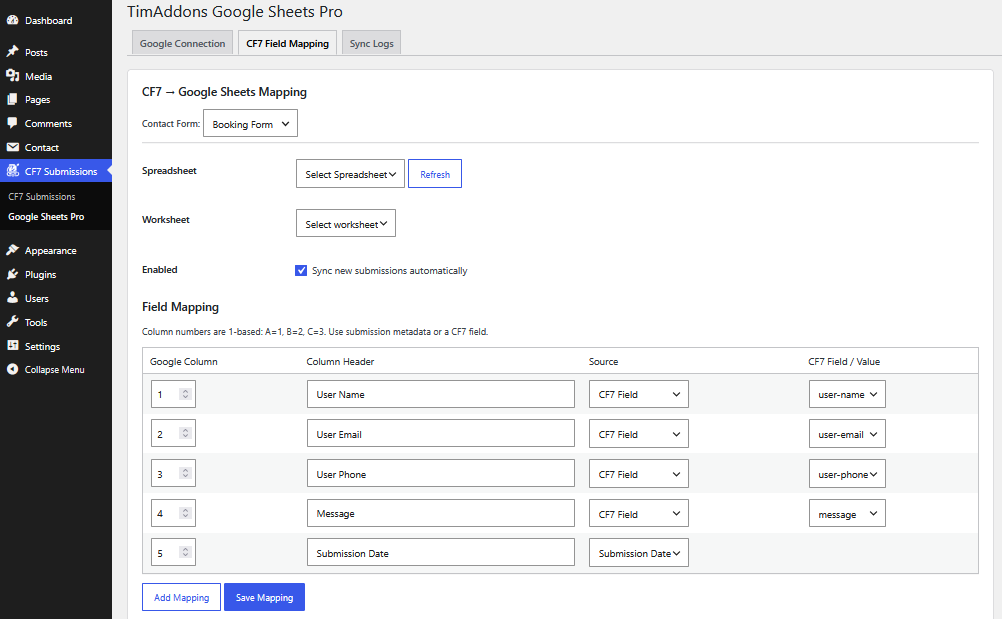
Map Form Fields with Precision

Choose exactly how your Contact Form 7 fields should be transferred to your external destination. Map your form data once and let TimAddons handle the rest automatically.

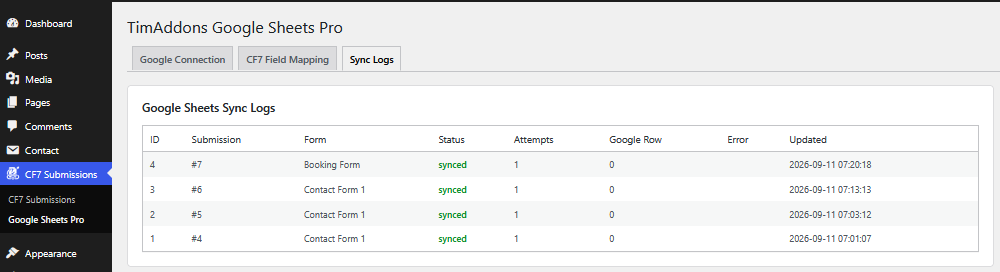
Monitor Every Synchronization

Keep track of your automated submissions with detailed synchronization logs. Quickly identify successful transfers and investigate failed sync attempts.

Start Free. Automate More with Pro.

The free plugin gives you the core tools needed to store and manage Contact Form 7 submissions. Pro adds automation and external integrations.

Personal
$XX / year

Everything you need to store and manage Contact Form 7 submissions directly inside WordPress.

Business
$XX / year

Add automation and external integrations to your Contact Form 7 workflow.

Professional
$XX / year

Everything you need to store and manage Contact Form 7 submissions directly inside WordPress.

From Form Submission to Organized Data.

01

Visitor submits a Contact Form 7 form.

02

TimAddons captures the submission.

03

The submission is stored in the WordPress database.

04

You review and manage it from the dashboard.

05

With Pro, the submission can be synchronized with Google Sheets.

Designed for Contact Form 7.

TimAddons – Submission Log & Automation for Contact Form 7 is an independent extension for Contact Form 7. It is not affiliated with or endorsed by the Contact Form 7 project.

Never Lose Another Contact Form 7 Submission.

Start saving and managing your Contact Form 7 submissions directly inside WordPress.